
Class Scheduling for Learning Centers Without the Chaos
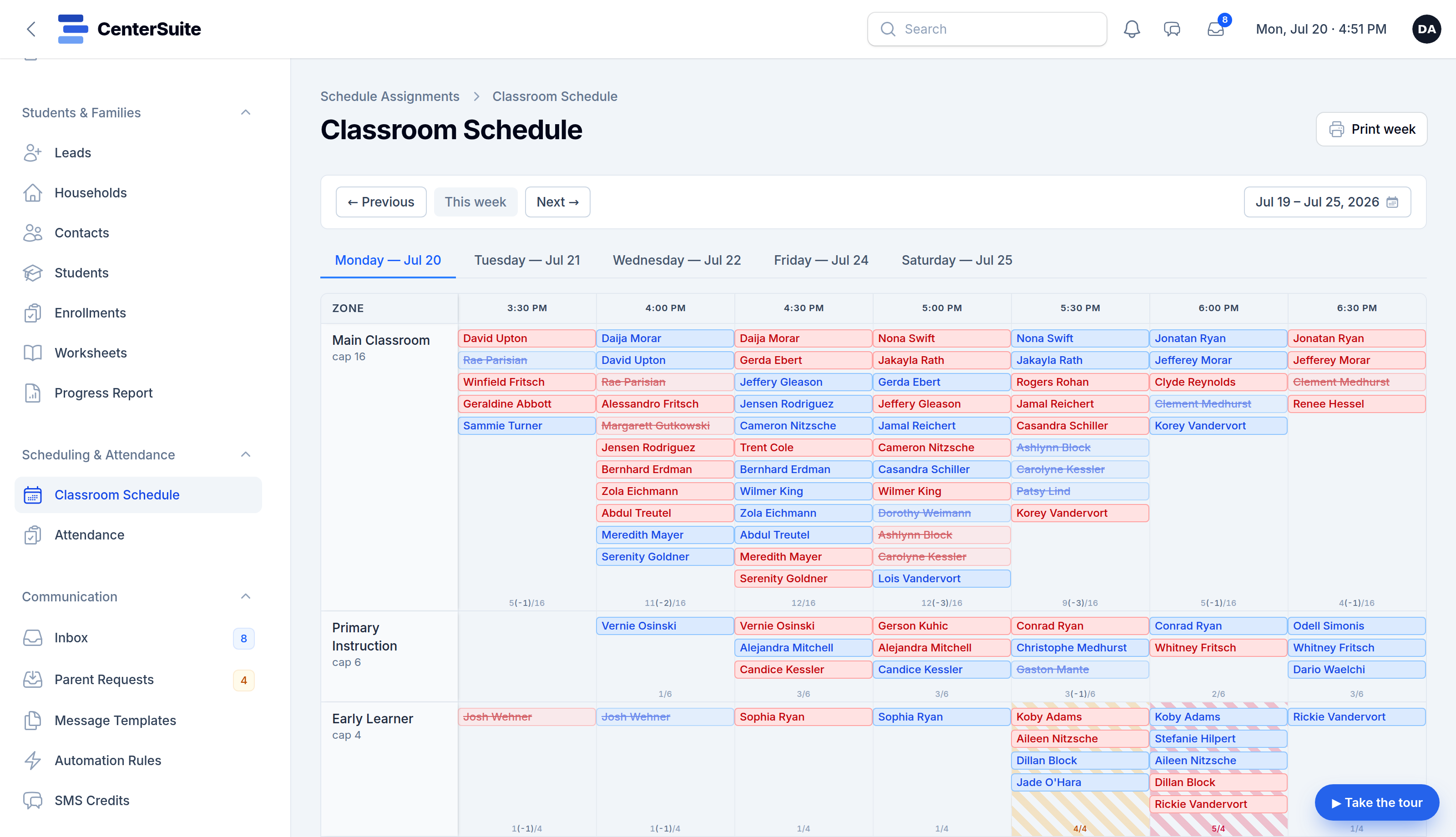
Scheduling is where a center's complexity becomes visible. Recurring weekly classes, one-off changes, room and seat capacity, staff coverage, make-ups, holidays — it all has to resolve onto a single grid that everyone reads the same way. When that grid lives in someone's head or a color-coded spreadsheet, the center runs on memory and luck.
Here's a saner way to think about class scheduling, and what good software should carry for you.
Separate the pattern from the exceptions
Most of your schedule is a pattern: the same classes, the same times, week after week. The chaos comes from the exceptions — a closure, a swapped session, a room change for one afternoon. A good scheduling system lets you set the recurring pattern once and then layer exceptions on top, instead of rebuilding the week every time something moves.
If changing one Tuesday means editing every Tuesday, the tool is fighting you.
Respect capacity before it bites
Every room and every time block has a ceiling. Overfilling a slot doesn't show up as an error — it shows up as a cramped, understaffed afternoon and a frustrated parent. Scheduling software should warn you before you overbook, showing how full each block is as you build, so capacity is a decision you make on purpose rather than a surprise you discover on the floor.
The schedule should drive the day
A schedule that just sits there is a calendar. A schedule that drives the day is an operating system. The plan you build should power check-in, feed the live attendance board, and tell staff where to be — so the floor always matches the plan and there's one source of truth instead of three that disagree.
When the schedule and the front desk are the same system, walk-ins and last-minute changes flow through cleanly instead of breaking the record.
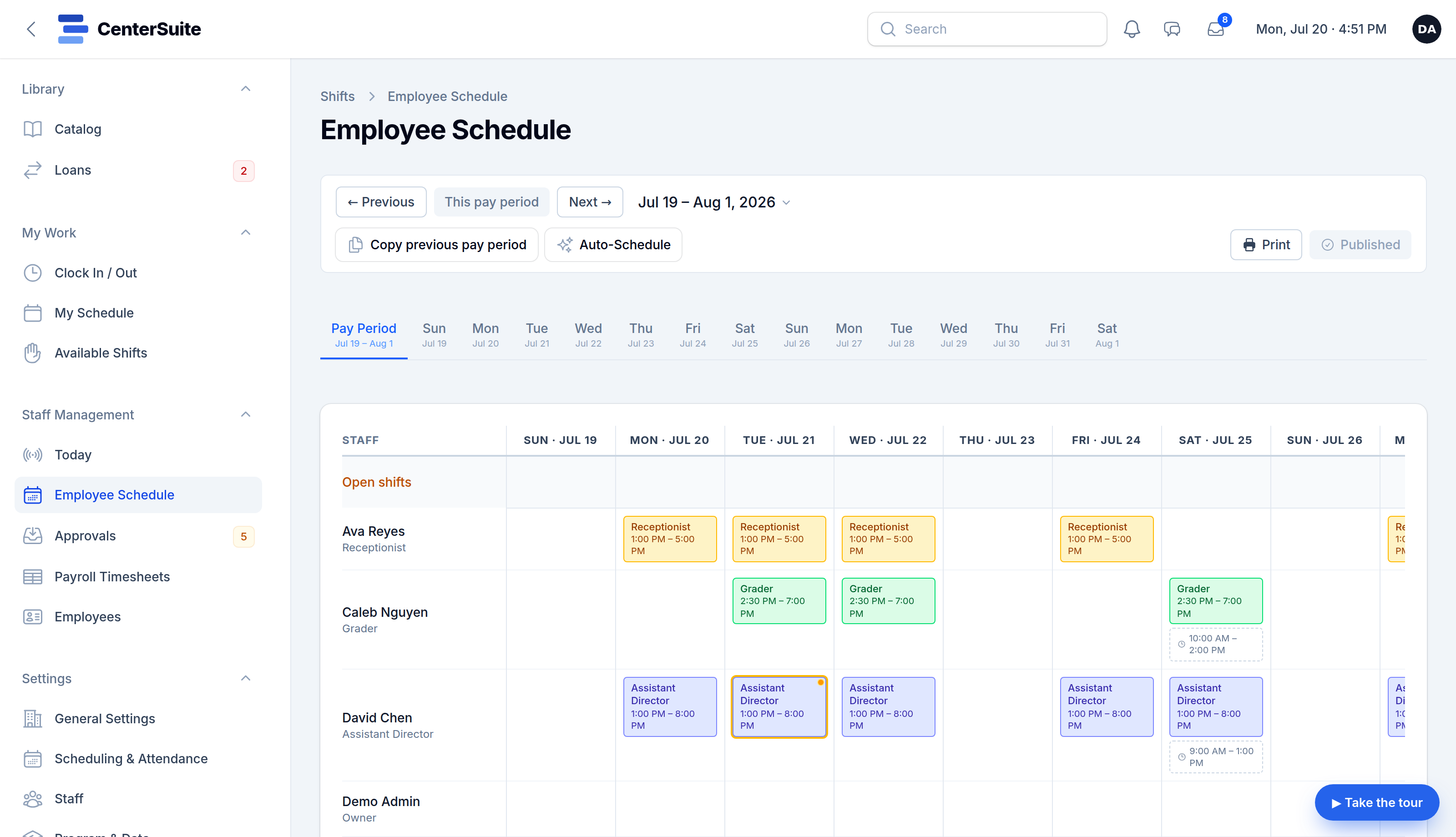
Staff coverage is part of scheduling
Class scheduling and staff scheduling are two halves of the same question: is every block covered by the right people? Treating them separately is how you end up with a full class and nobody to teach it. Ideally your coverage needs and your class grid live close enough together that a gap is obvious before the week starts, not during it.
What to look for
When you evaluate scheduling software for your center, ask:
- Can I set recurring classes once and handle one-off changes without rebuilding?
- Does it warn me about capacity as I build, not after?
- Does the schedule connect to check-in and attendance, or is it an island?
- Can the whole week be viewed — and printed — at a glance for staff?
- Does it understand your center's shape, or is it a generic calendar I have to bend?
A good schedule quietly answers the question every busy afternoon asks — who's where, and is there room? — before anyone has to ask it out loud.
See how CenterSuite puts your whole week on one grid, or try it live on a schedule that looks like yours.